Tools for Video Analysis
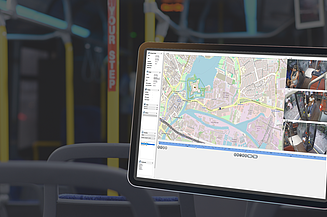
Traceability and incident reconstruction
Thanks to state-of-the-art video analysis technology and the extensive storage capacities of our video recorders, drivers, emergency services and transport operators can accurately trace various events inside the vehicle. Whether it involves falls, traffic accidents, theft, or vandalism – our solutions ensure reliable reconstruction of incidents.
CMPlayer - Evaluation of recorded data
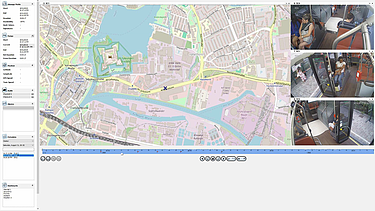
The CMPlayer offers a modern and user-friendly platform for analyzing recorded video, audio and metadata, developed specifically for the video recorders of the VNAS series.
The application enables access to data stored in a proprietary format and allows the synchronized display of up to 64 cameras, along with GPS data shown on a map interface. Video sequences can be conveniently navigated via a timeline where different segments are color-coded. Alarm sequences, including their pre-alarm periods, can be selected through direct menu functions, providing highly efficient and intuitive access.
For information and data sharing, export functions are available that allow still images or complete video sequences to be transferred to protected or open formats – for example, for use by emergency or police operations. To ensure data protection, exported files are watermarked and can be optionally encrypted. The integrated playback software allows this data to be securely transmitted to the relevant authorities for further analysis.
CMLive - Real-time display of video data in control centers
The CMLive application enables real-time display of video data from up to eight channels simultaneously. Transmission can take place either via the local Ethernet network (for example, during camera setup and configuration) or through a radio or internet connection to a control center. Camera access can be initiated manually by the operator in the control center or automatically through the triggering of an alarm within the vehicle.
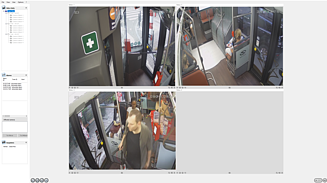
Within the control center, camera images from alarm sequences can be downloaded via CMDownload, stored in an internal video database, and exported into a public format if required. In addition, operators can trigger an alarm directly from the control center in response to relevant events inside the vehicle, ensuring that the corresponding video sequences are not overwritten.
Like the CMPlayer, CMLive processes personal data and therefore provides protection against unauthorized access. The integrated user management system allows administrators to define multiple users with individual passwords.
CMDownload - Online and offline downloads for control centers
The CMDownload application is an extension of the CMPlayer and enables selected time periods or entire recordings from a vehicle to be downloaded and made available within a control center. Downloads can occur automatically or sequentially, depending on the available data connection to the vehicle. If the connection is interrupted, the download automatically resumes once communication is re-established. The application is designed in a client/server architecture allowing multi-user access – meaning that several users can work with the system simultaneously.